Wingdings to English Translator: Decode Wingdings Symbols Instantly
Paste Wingdings symbols and get plain English instantly. It detects Wingdings 1, 2, 3 and Webdings for you, and also turns English back into symbols.
- Free
- No signup
- Wingdings 1, 2, 3 & Webdings
- Works on phone and desktop
The symbols are standard Unicode characters, so you can copy and paste them almost anywhere. Exact looks vary by device, and a few rare symbols may show as empty boxes if your device has no font for them. Conversion happens in your browser.
How to Use This Wingdings to English Translator
Three quick steps. There is no button to press, the result updates as you paste.
Copy the symbols
Select the Wingdings symbols wherever you found them, such as a message, a forum post or a game wiki, and copy them.
Paste into the Decode tab
The Decode tab is selected by default. Not sure what to expect? Press “Try an example” in the tool above.
Read or copy the English
The note under the result shows which Wingdings version was detected and how many symbols were decoded.
Why Use This Wingdings to English Translator
Built to be quick, accurate and easy to use.
Detects the font for you
It checks Wingdings 1, 2, 3 and Webdings and uses the best match, so you never have to guess.
Works both ways
Decode symbols into English, or switch tabs and turn English into symbols.
Copy and paste anywhere
The symbols are standard Unicode text, so they paste into messages, bios and documents.
Runs in your browser
The conversion happens on your device. Your text is not sent to our server.
Free, no signup
No account, no email and no limit on how much text you convert.
Works on any device
Use it on a phone, tablet or computer. No font install needed.
Wingdings to English translation is simple once you know how the font works: every symbol stands for one keyboard character. This Wingdings to English translator does that lookup for you, so you can read a Wingdings message in seconds.
What Is Wingdings and How Does a Wingdings to English Translator Work?
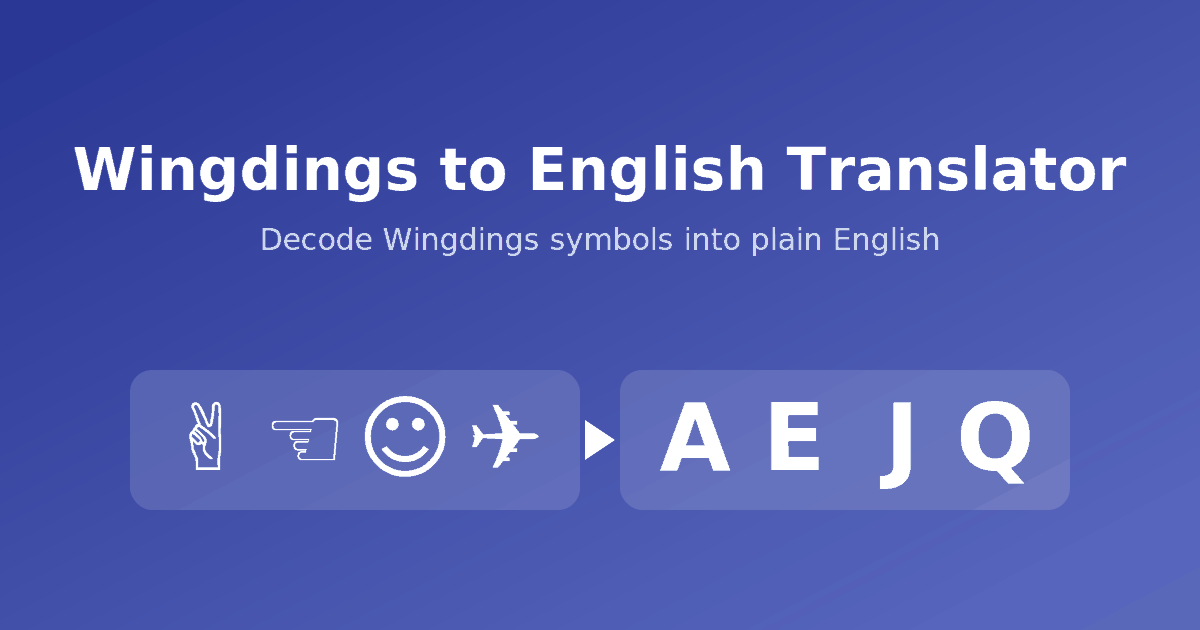
Wingdings is a series of symbol fonts that Microsoft developed in 1990 and has shipped with Windows since version 3.1. Instead of letters, each key shows a small picture. In Wingdings 1, the key A shows a victory hand and the key D shows a thumbs-down. It is not a language and it is not encryption. It is a one-to-one substitution, which is why it is easy to decode.
For years those symbols only appeared if the reader had the font installed. Since Unicode 7.0 in 2014, most Wingdings and Webdings symbols also exist as standard text characters, so a Wingdings message can be copied, pasted and sent like any other text. This Wingdings to English translator looks up each symbol in the standard mapping, puts back the original letter, number or punctuation mark, and checks all four fonts to pick the best match. For background, see Microsoft’s Wingdings font page or the mapping tables on Wikipedia.
Wingdings Letters at a Glance
These are the Wingdings 1 symbols for the uppercase letters A to Z. Lowercase letters, numbers and punctuation use different symbols, so uppercase and lowercase decode differently.
See every key in every font on the full Wingdings character chart.
Decoding Gaster and Undertale Messages
The most common reason people look for a Wingdings to English translator is Undertale. The hidden character W. D. Gaster speaks in Wingdings, and fans share his lines as symbols. Paste them into the decoder to read them. Our Gaster Wingdings translator guide explains where the text appears and how to read it.
Wingdings 1 vs Wingdings 2 vs Wingdings 3 vs Webdings
| Font | What the symbols look like | Good for |
|---|---|---|
| Wingdings 1 | Pointing hands, faces, zodiac signs, shapes, everyday objects | Most Wingdings messages, puzzles, Undertale text |
| Wingdings 2 | Enclosed numbers, pointing hands, checkboxes, geometric shapes | Worksheets, checklists, decorative layouts |
| Wingdings 3 | Almost entirely arrows and triangles | Diagrams, navigation icons, directional marks |
| Webdings | Pictograms: buildings, vehicles, weather, media and computer icons | Icon-style text, retro web design |
Things to Know When Decoding a Wingdings Message
- Case matters. A capital A and a lowercase a are different symbols, and each decodes back to its own letter.
- Unknown characters stay as they are. Spaces, other emoji and ordinary letters are left unchanged.
- Boxes mean a missing font. If you see empty squares, your device cannot draw that symbol, but it can still be decoded.
- Screenshots need a manual check. Compare them with the character chart.
Frequently Asked Questions
How do I use a Wingdings to English translator?
Paste the Wingdings symbols into the box on the Decode tab. The translator looks up each symbol and shows the English text straight away, and it tells you which Wingdings version it detected.
Which Wingdings versions can it decode?
Wingdings 1, Wingdings 2, Wingdings 3 and Webdings. It checks all four and uses the one that matches the most symbols in your text.
Why do I see empty boxes instead of symbols?
Your device does not have a font that contains that symbol. Updating your system or trying a different browser or device usually fixes it. The decoding itself still works on the characters you pasted.
I pasted text that looks like normal letters. Why did nothing change?
Text typed in Microsoft Word with the Wingdings font applied is stored as ordinary letters. Only the font makes it look like symbols. If you copy it as plain text you get those letters back, which is already the English message, so there is nothing to decode.
Does Undertale’s Gaster really use Wingdings?
Yes. The hidden character W. D. Gaster speaks in Wingdings, for example in Lab Entry #17. Paste his lines into the decoder, or see our Gaster Wingdings translator page.
Is Wingdings a language or a code?
Neither. It is a symbol font where every keyboard character is drawn as one fixed picture. That one-to-one substitution is what makes it easy to decode.
Can I decode a screenshot or photo of Wingdings symbols?
Not directly, because the tool needs text. Text-recognition tools often struggle with symbols, so the best option is to compare the picture against our Wingdings character chart.
More Wingdings Tools
Everything you need to read, write and look up Wingdings.
Ready to Read Your Wingdings Message?
Paste your symbols into the decoder and see the English in seconds. It is free and needs no signup.